“There are over 100 categories! Do they really expect me to click in an amount for every single one manually?”, many of you may have thought when opening the Budget tab. And you’d be right: CheckChecker is supposed to simplify expense tracking and save you time, so the idea of manually filling in more than 100 numbers into a template... that doesn’t exactly match our ideal either. And we know it — we also only set up a budget for a few main categories.
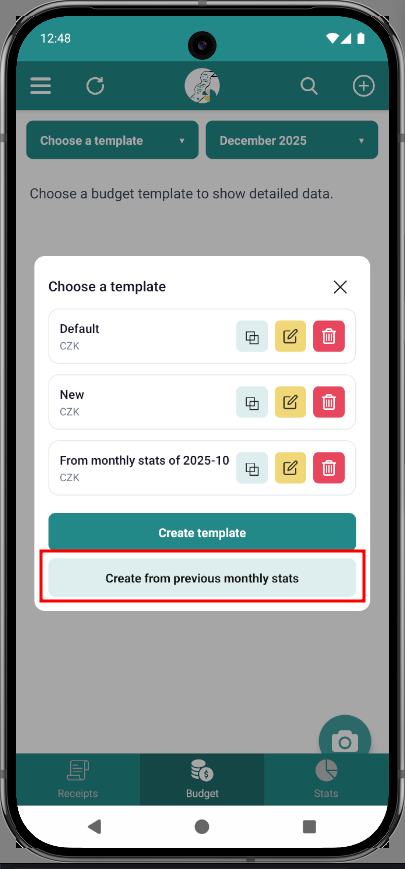
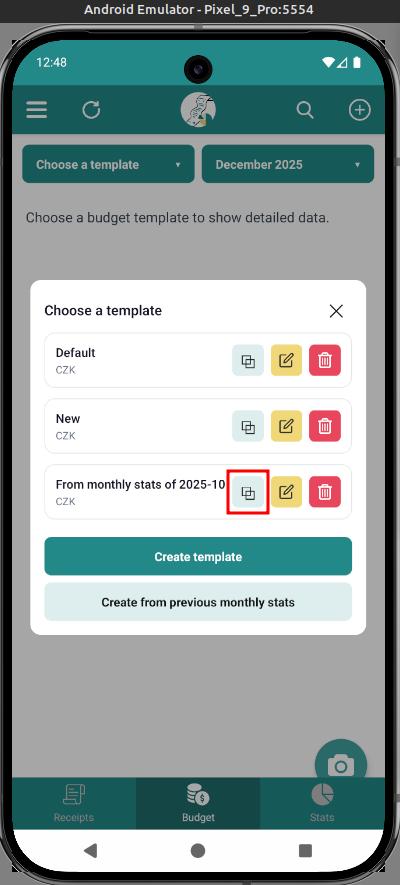
But things are different now. The Budget tab now includes new features that let you pre-fill values for individual categories:
- Create a template from the previous month — if you diligently logged your receipts in November, you can simply generate a plan for the next month based on your stats. Sure, if you spent like crazy, that will naturally show up in the new budget, but nothing stops you from adjusting a few categories.
- Copy an existing template — if you want multiple templates, chances are they’ll share a lot in common. The copy function makes creating a similar template much easier by loading default values from another template.
Personally, I’m especially happy about the first feature. I’ve already created my December budget based on my November statistics. I trimmed down my restaurant budget — I really went overboard last month — and, on the other hand, had to significantly increase the one for gifts. Looks like this might become my annual Christmas template.
How about you? Have you tried working with the budget feature yet? How do you like it?